component and props
컴포넌트란 리액트로 만들어진 앱을 이루는 최소한의 단위이다 컴포넌트는 원래 복잡한 코드를 묶어서 개별적으로 수정 가능하고 재사용 할 수 있게 만든것이다 클래스형 컴포넌트와 함수형 컴포넌트가 있지만 여기서는 클래스 컴포넌트를 다룬다
React와 HTML
1
2
3
4
5
6
7
8
9
10
11
12
13
14
15
16
17
18
19
20
21
22
23
24
25
26
27
28
29
30
31
32
33
34
35
36
37
38
39
40
41
42
43
44
45
46
47
48
49
50
51
52
import React, {Component} from 'react';
import './App.css';

class Subject extends Component {
	render() {
		return(
			<hedaer>
				<h1>WEB!</h1>
				world wide web
			</hedaer>
		);
	}
}

class TOC extends Component {
	render() {
		return(
			<ul>
				<li><a href="1.html">HTML</a></li>
				<li><a href="2.html">CSS</a></li>
				<li><a href="3.html">JavaScript</a></li>
        	</ul>
		);
	}
}

class Contents extends Component {
	render() {
		return(
			<article>
				<h2>HTML</h2>
				HTML ~~~~
			</article>
		);
	}
}


class App extends Component {
  render() {
    return(
      <div class="App">
		  <Subject></Subject>
		  <TOC></TOC>
		  <Contents></Contents>
	  </div>
    );
  }
}

export default App;
HTML
1
2
3
4
5
6
7
8
9
10
11
12
13
14
15
16
17
18
19
20
21
22
23
24
25
26
<!DOCTYPE html>
<html lang="en">
<head>
    <meta charset="UTF-8">
    <meta http-equiv="X-UA-Compatible" content="IE=edge">
    <meta name="viewport" content="width=device-width, initial-scale=1.0">
    <title>web</title>
    <h1>WEB!</h1>
    world wide web
</head>
<body>
    <nav>
        <ul>
            <li><a href="1.html">HTML</a></li>
            <li><a href="2.html">CSS</a></li>
            <li><a href="3.html">JavaScript</a></li>
        </ul>
    </nav>

    <article>
        <h2>HTML</h2>
        HTML ~
    </article>

</body>
</html>
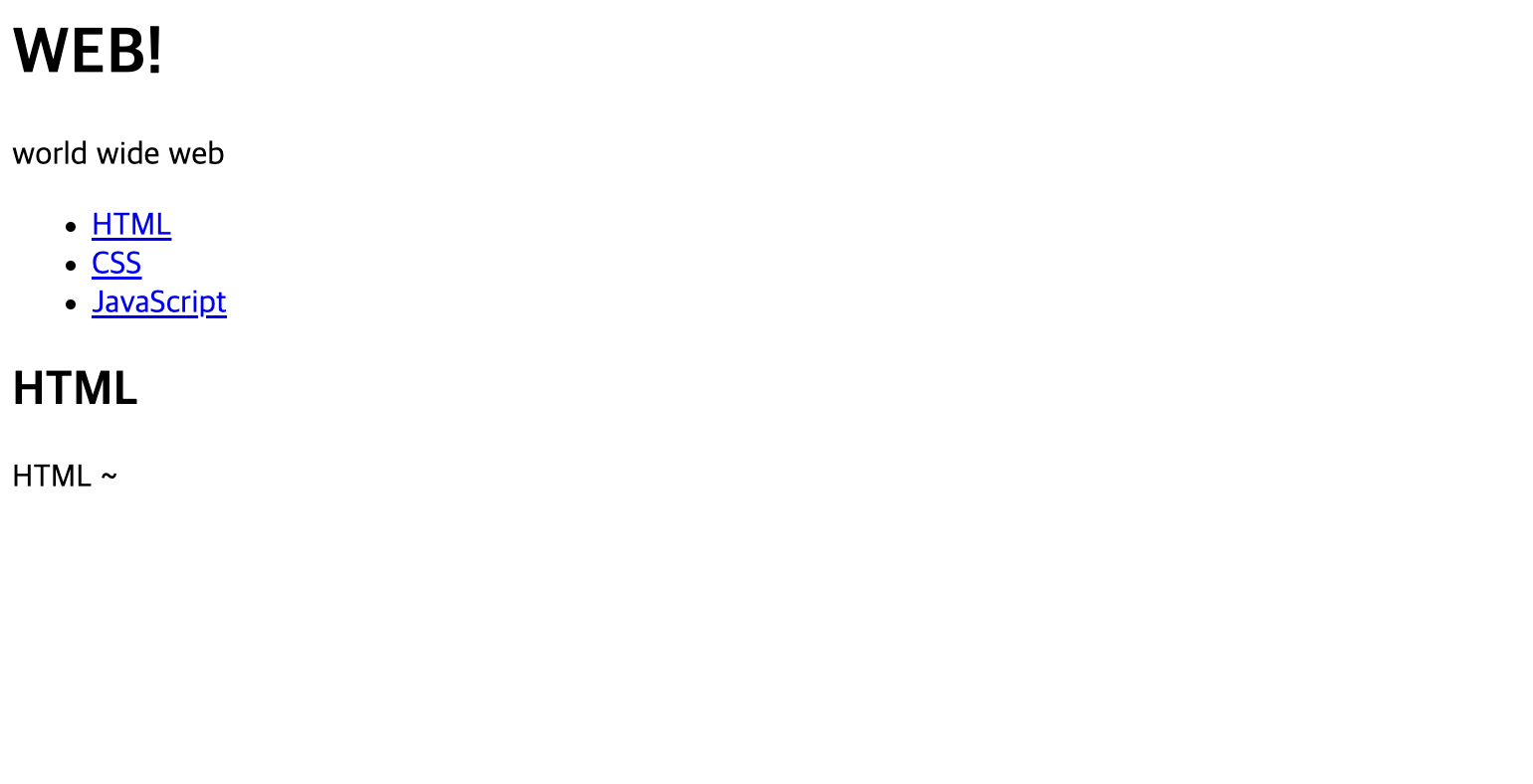
두 코드는 모두 아래의 화면을 보여준다 코드를 보면 오히려 html코드가 더 간단하게 보인다 하지만 페이지가 복잡해진다면 html파일의 코드는 엄청나게 많아질것이다
따라서 리액트의 컴포넌트를 이용하면 코드를 분리시킬수 있고 props를 통해서 같은 컴포넌트를 사용하지만 출력 결과를 다르게 할 수 있다
props 사용
props는 properties의 줄임말로 프로퍼티라고도 한다 상위 컴포넌트가 하위 컴포넌트에 값을 전달할때 사용한다
프로퍼티에 문자열을 전달할 때는 ""를 사용 이외에는 {}를 사용한다
1
2
3
4
5
6
7
8
9
10
11
12
13
14
15
16
17
18
19
20
21
22
23
24
25
26
27
28
29
30
31
32
33
34
35
36
37
38
39
40
41
42
43
44
45
46
47
48
49
50
51
52
import React, {Component} from 'react';
import './App.css';

class Subject extends Component {
  render() {
    const { color, title, sub } = this.props;

    return (
      <header>
        <h1 style=>{title}</h1>
        {sub}
      </header>
    );
  }
}

class TOC extends Component {
	render() {
		return(
			<ul>
				<li><a href="1.html">HTML</a></li>
				<li><a href="2.html">CSS</a></li>
				<li><a href="3.html">JavaScript</a></li>
        	</ul>
		);
	}
}

class Contents extends Component {
	render() {
		return(
			<article>
				<h2>{this.props.title}</h2>
				{this.props.desc}
			</article>
		);
	}
}

class App extends Component {
  render() {
    return(
      <div class="App">
		  <Subject color="blue" title="web" sub="props use"></Subject>
		  <TOC></TOC>
		  <Contents title="HTML" desc="world wide web"></Contents>
	  </div>
    );
  }
}

export default App;
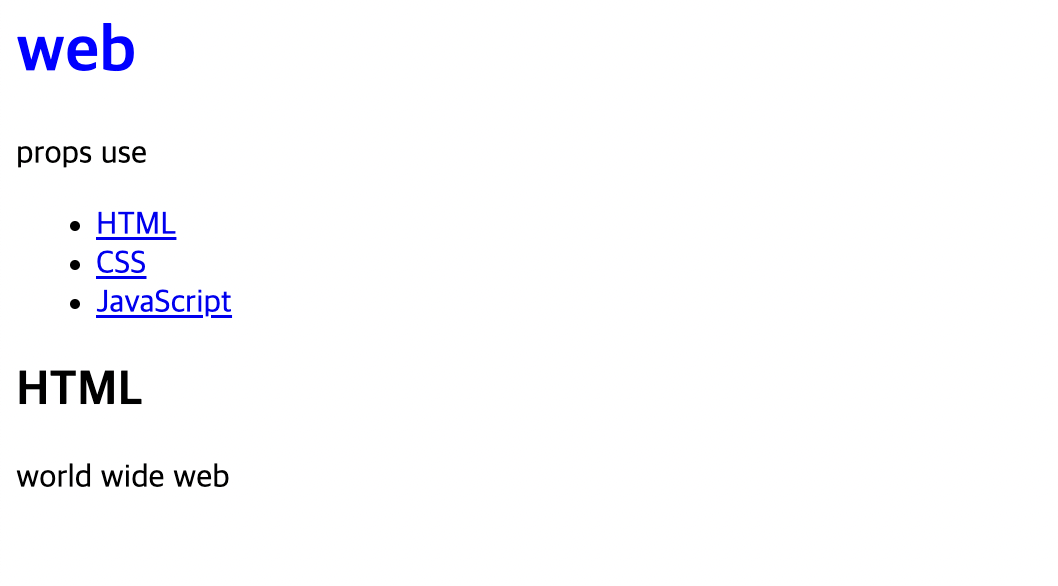
컴포넌트를 항상 같은 값을 보여주는것이 었지만 props를 사용하면서 위 코드에서 title,sub등 속성을 바꿔서 작성하면 그에 따라 달라지는 출력값을 화면에 보여준다
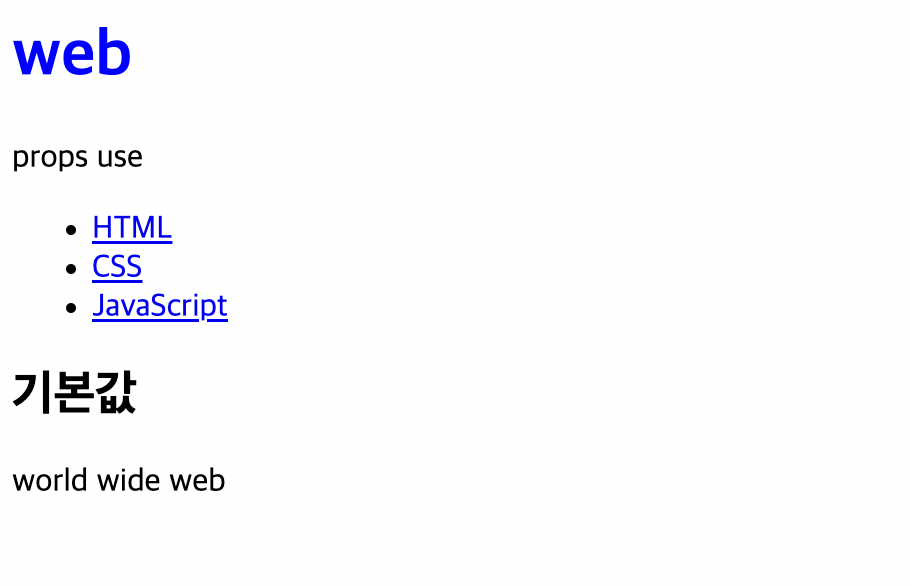
props의 기본값과 데이터 타입 지정
1
2
3
4
5
6
7
8
9
import PropTypes from 'prop-types'// import부분 추가

Contents.propTypes = {//데이터 타입
	title: PropTypes.string
  }

Contents.defaultProps = {//기본값
	title: "기본값"
}//exprot 전에 추가한다
컴포넌트의 분리
위 예제에서는 컴포넌트를 따로 분리하지 않았다 모두 한 js파일에 작성되었다 클래스형 컴포넌트들을 하나씩 분리해 보자
create-react-app을 통해서 리액트 앱을 만들면
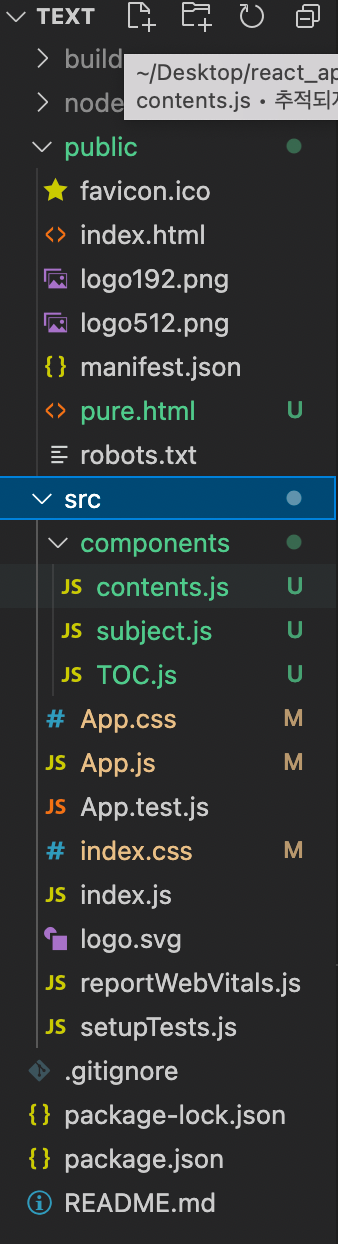
구조가 사진과는 똑같지는 않지만 public과 src가 생겼을것이다 컴포넌트들 보통 src에 저장하는데 컴포넌트를 모아서 보기위해 components 폴더를 만들어 그 안에 컴포넌트.js를 저장했다
컴포넌트 파일 구조
1
2
3
4
5
6
7
8
9
10
11
12
13
14
15
16
17
18
19
20
21
22
23
24
import React, {Component} from 'react';
import PropTypes from 'prop-types' //기본값을 설정하기위함 기본값이 없다면 추가x

class Contents extends Component {
	render() {
		return(
			<article>
				<h2>{this.props.title}</h2>
				{this.props.desc}
			</article>
		);
	}
}

//기본값을 설정하기위함 기본값이 없다면 추가x
Contents.propTypes = {
	title: PropTypes.string
  }

Contents.defaultProps = {
	title: "기본값 입니다"
}

export default Contents;
컴포넌트를 따로 분리해줬으면 이 컴포넌트를 메인 js(app.js)에 연결 시켜줘야한다
메인 js 연결
1
2
3
4
5
6
7
8
9
10
11
12
13
14
15
16
17
18
19
20
import React, {Component} from 'react';
import TOC from './components/TOC' //각각의 파일 위치를 작성(연결)
import Subject from './components/subject'
import Contents from './components/contents'
import './App.css';

class App extends Component {
  render() {
    return(
      <div class="App">
		  <Subject color="blue" title="web" sub="props use"></Subject>
		  <TOC></TOC>
		  <Contents desc="world wide web"></Contents>
	  </div>
    );
  }
}

export default App;
import {태그이름} from {저장위치}를 통해서 메인 js연결 시킬 수 있다