Firebase Hosting
이번 공지고 프로젝트에서 파이어베이스의 리얼타임 데이터 베이스와 파이어베이스의 호스팅 기능을 이용했다 호스팅을 매우 쉽고 간단하게 하는 방법이다
파이어베이스 호스팅
먼저 1.파이어 베이스에 들어가서 프로젝트를 만들어야한다
이미 리얼 타임 데이터베이스를 이용할때 프로젝트를 만들어 놔서 그 프로젝트를 이용해서 진행했다

2. npm install -g firebase-tools
npm install -g firebase-tools를 통해서 파이어베이스 툴을 설치한다
-g를 통해서 시스템 폴더에 설치
3.firebase login
파이어베이스 계정을 이용하기위해 로그인을 한다 firebase login
4.프로젝트 초기화
내가 호스팅하고 싶은 디렉토리롤 들어가서 firebase init을 통해 프로젝트를 초기화 시킨다 (프로젝트를 firebase와 연결시키는 과정 내가 작성한 폴더나 파일은 초기화 안됨)
1
2
3
4
5
6
7
8
9
10
11
12
13
(Press <spaces to select, <a> to toggle all, <i> to invert selection, and <enter> to proceed)

• Realtime Database: Configure a security rules file for Realtime Database and (optionally) provision default instance o Firestore: Configure security rules and indexes files for Firestore

O Functions: Configure a Cloud Functions directory and its files

Do Hosting: Configure files for Firebase Hosting and (optionally) set up GitHub Action deploys ]

o Hosting: Set up GitHub Action deploys

• Storage: Configure a security rules file for Cloud Storage o Emulators: Set up local emulators for Firebase products

(Move up and down to reveal more choices)
위 같은 선택지들이 나오는데 hosting기능을 이용할것이라 호스팅을 선택해주면 된다
1
2
3
4
5
6
7
8
9
10
11
12
13
14
15
=== Project Setup

First, let's associate this project directory with a Firebase project.

You can create multiple project aliases by running firebase use --add, but for now we'll just set up a default project.

? Please select an option: (Use arrow keys)

•> Use an existing project

Create a new project

Add Firebase to an existing Google Cloud Platform project

Don't set up a default project
이미 존재하는 프로젝트에 만들것이기 때문에 use an existing project를 선택
1
? what do you want to use as your public directory?(public)
이 질문은 어떤 폴더를 호스팅할것인지 물어보는것인데 build로 하면 된다 기본값은 public 나중에 firebase.json에서 변경 가능하다
1
? Configure as a single-page app (rewrite all url to/ index.html)?(y/N)
싱글 웹페이지라고 물어보는것인데 리액트는 싱글 페이지라서 y로 설정했다
1
? Set up automatic buids and deploys with github?
깃허프에 연동해서 자동배포를 이용할려면 y로 선택
5.파이어 베이스의 hosting기능 들어가기
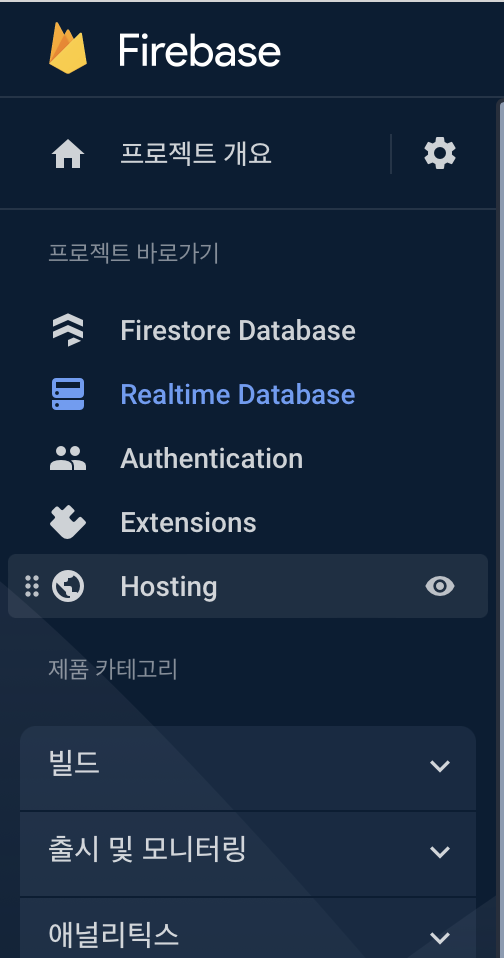
호스팅에 들어가서 시작하기를 눌러 시작한다
설명대로 나오는 명령어 firebase serve --only hosting을 통해서 로컬에서 미리 테스트 해볼 수 있고 firebase deploy로 배포를 할 수 있다
firebase deploy로 배포가 쉽게 끝난다